Focus Up · iOS 17+
Block distractions. Throw away the key.
The productivity app that makes you stop negotiating with yourself. Block apps, set a timer, and ask an accountability partner to hold you accountable.

Block distractions
Block the apps that pull you in.
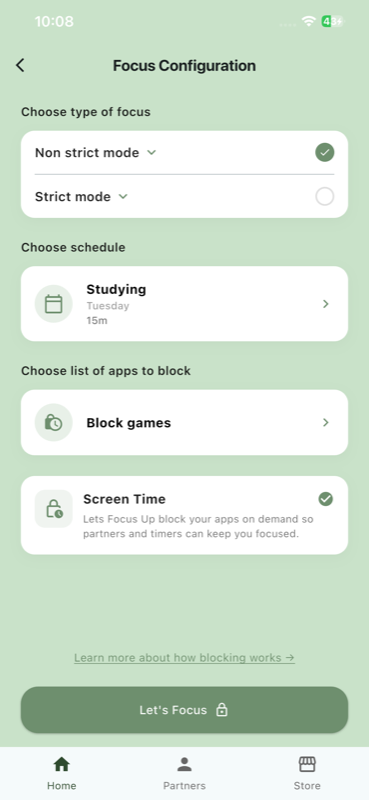
Pick the apps that keep stealing your focus — social, games, messaging, anything. Pick a focus mode. Pick how long. The app takes care of the rest.
- Non-strict or strict mode, your call.
- Schedules you reuse day after day.
- Pick the apps to block right inside the session setup.
Earn coins while you focus
Stay with it. Get rewarded.
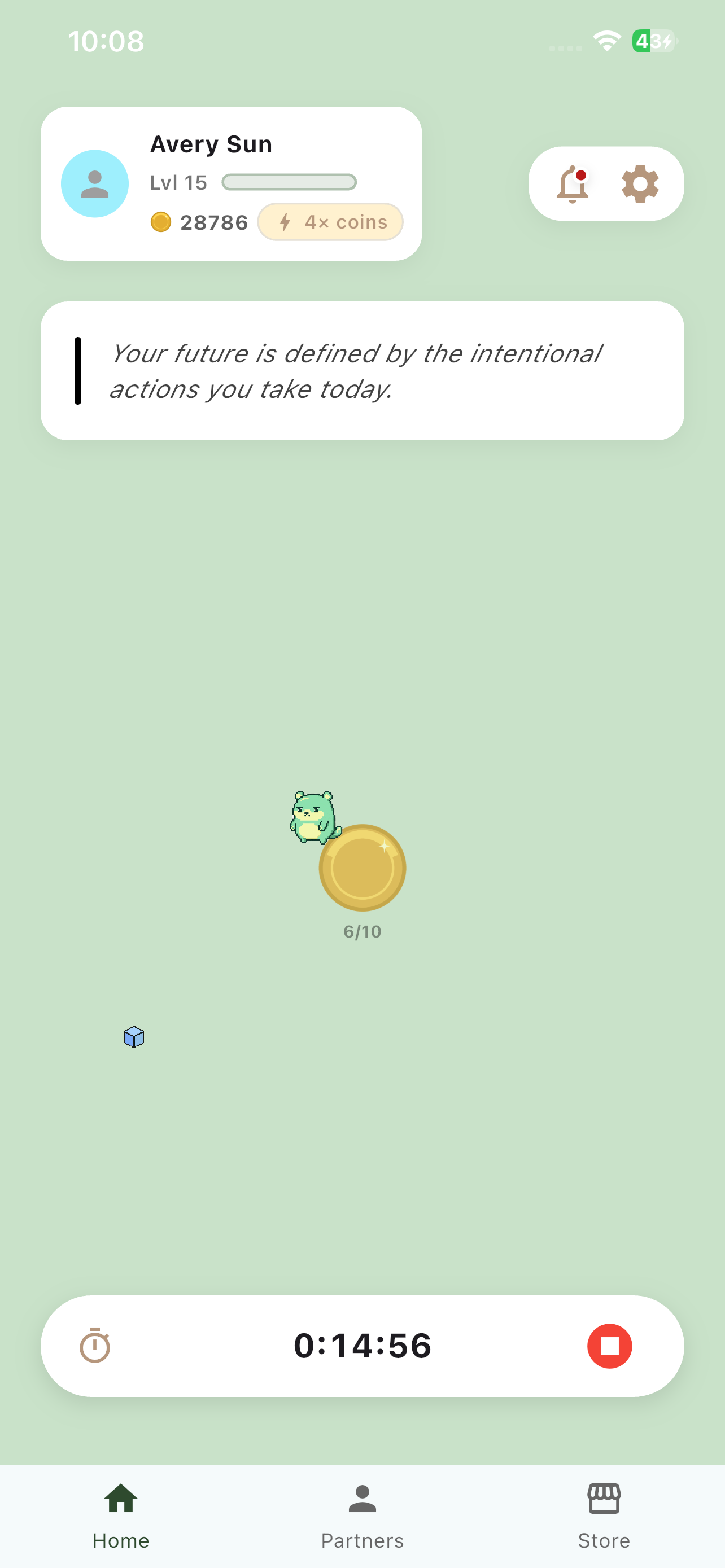
Each session you complete earns coins and feeds your focus streak. Your mascot levels up with you, so the longer you stick with it, the more you have to show for it.
- Timer counts down the seconds you're locked in.
- Coins drop in at the milestones you reach.
- Your level grows with every successful session.
Focus is better with a friend
An accountability partner holds the key.
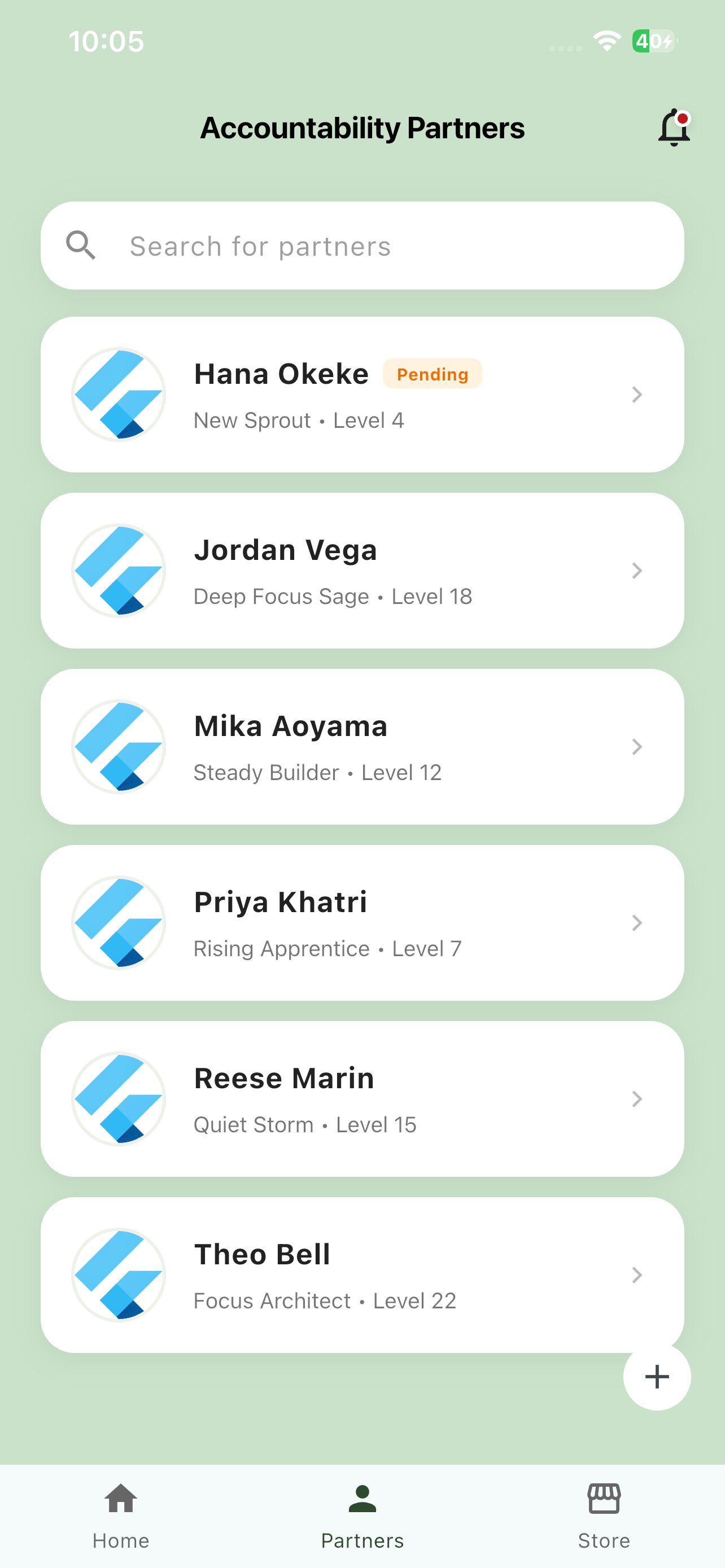
Add someone you trust. They hold the key to your apps — when you finish a session early, you send them a lock request and they decide whether to unlock you. Not an algorithm, not a leaderboard, not a stranger on the internet.
- Find a partner by name or email.
- They get a pending request in their inbox.
- They can unlock you — or set themselves up to lock your apps for you.
Lock in together
Let a partner lock your apps for you.
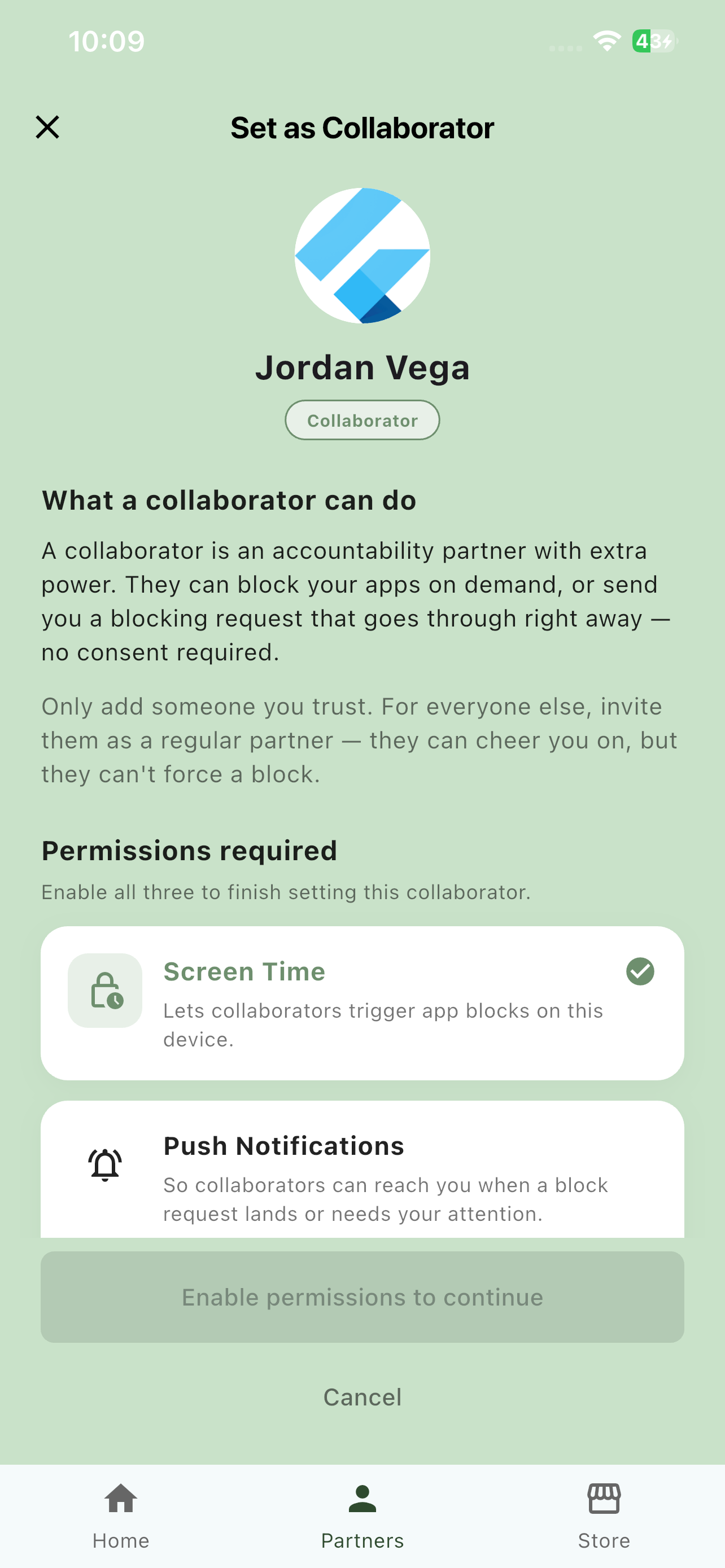
Mark a partner as a collaborator and they can start a block on your phone from theirs — no consent required. For everyone else, they're a regular partner: they can cheer you on, but they can't force a block.
- Send a lock request from their device.
- Block lands on your phone within seconds.
- Only add someone you genuinely trust.
From the app
A peek at what's inside.
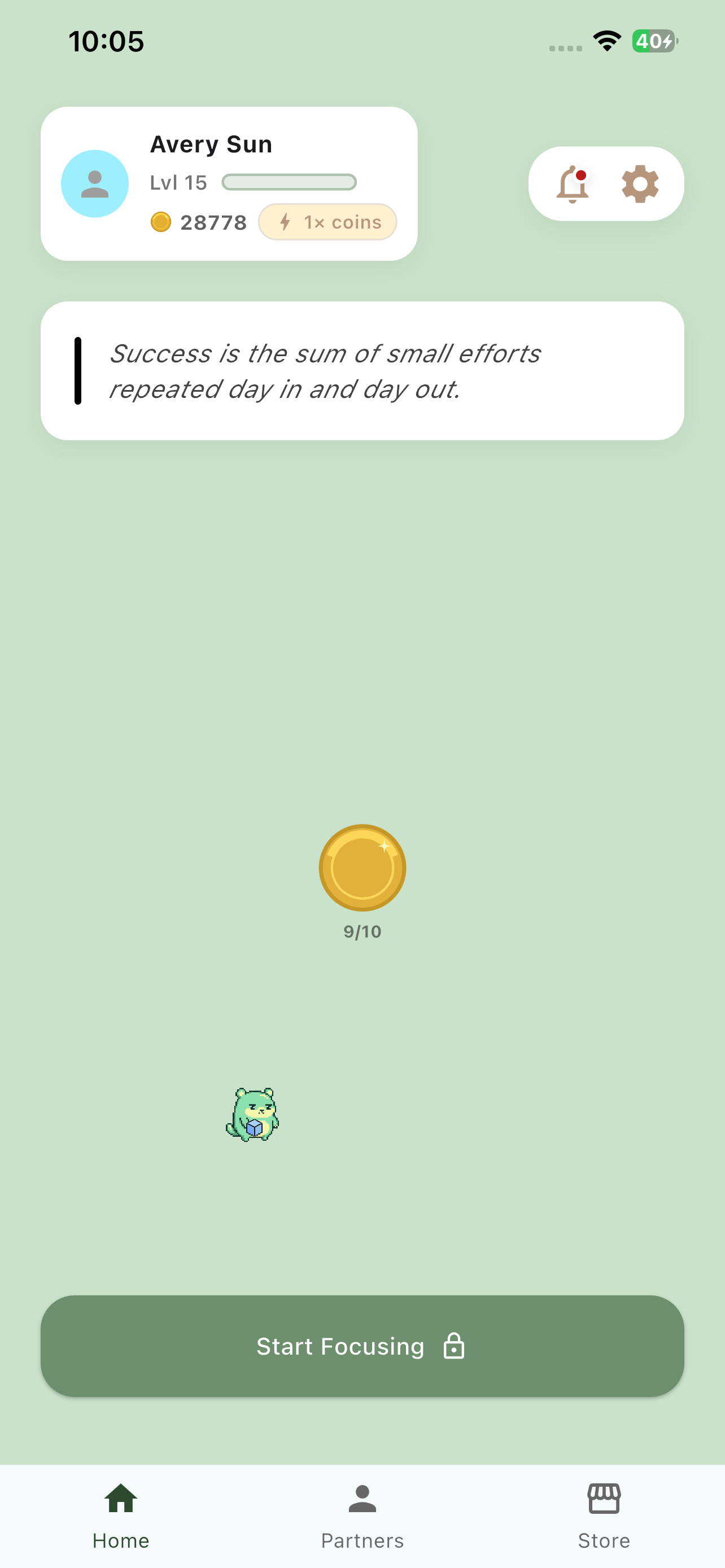
Five real screens from the live build — the home screen, focus configuration, a session in progress, your partner list, and the partner detail sheet.
-
Home — your launchpad
-
Configure — pick the rules
-
In progress — earn as you focus
-
Partners — your team
-
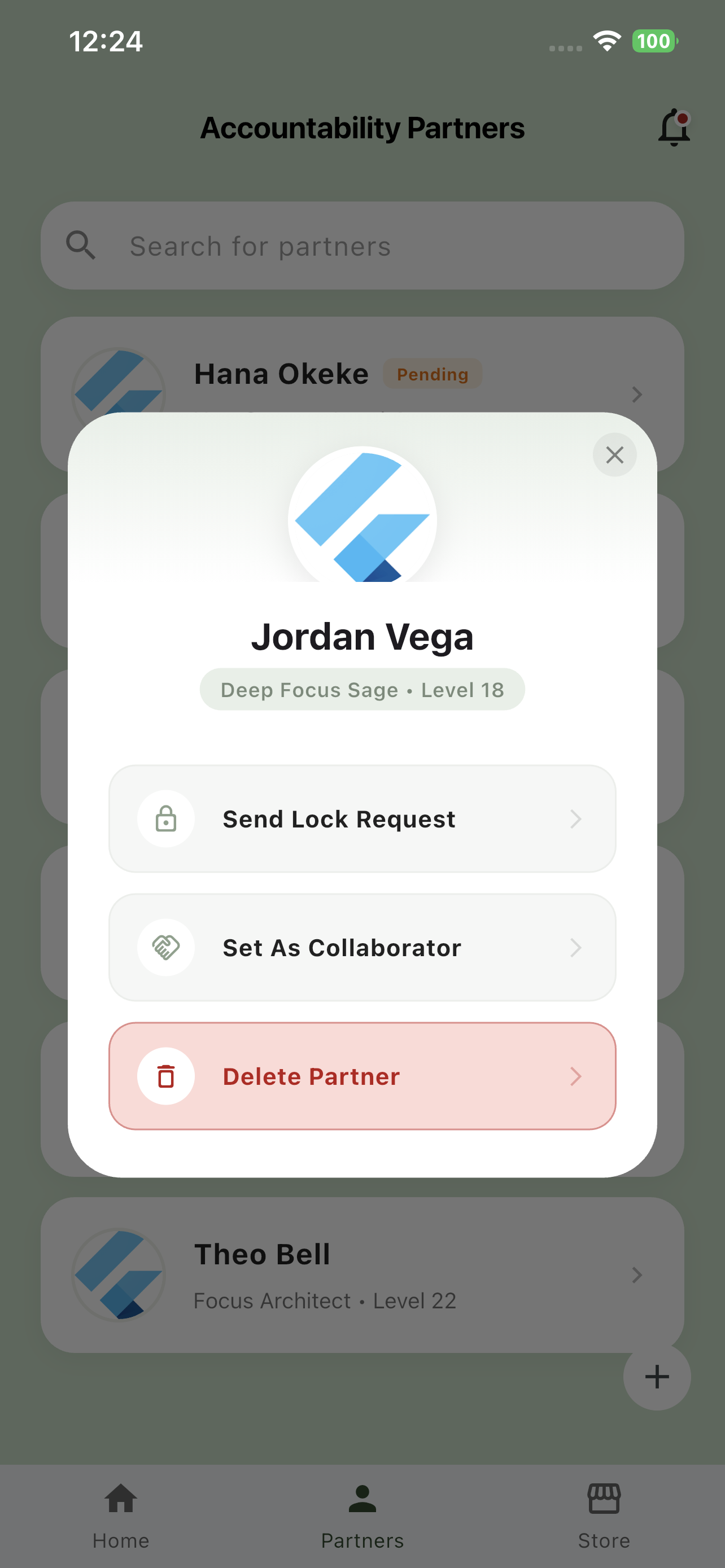
Partner detail — lock
Frequently asked questions
Real focus needs real answers.
Can I bypass Focus Up like I bypass Apple's Screen Time?
Focus Up uses Apple's Screen Time API with the Family Sharing restrictions mode, which locks the bypass passcode to a 4-digit code generated on your partner's device. You cannot unlock your own apps by entering your passcode the way you can with default Screen Time. Only the timer hitting zero, or your accountability partner approving an unlock request, can release the blocks.
What does an accountability partner see about me?
An accountability partner sees only what you share with them: your display name, your profile picture (if you set one), your unlock requests, and your locked / unlocked status. They never see which specific apps you have blocked, your Screen Time usage history, your schedule, or any other personal data. You can revoke a partnership at any time from the app's Partners screen.
Is my data sold?
No. We do not sell your data. Period. The data we collect is used only to operate Focus Up's blocking, scheduling, and accountability features, as described in our Privacy Policy. No advertising networks, no data brokers, no third-party tracking.
What happens if my accountability partner doesn't approve my unlock request?
Your timer keeps running. You can submit another request, message your partner outside the app, or wait for the timer to hit zero. Focus Up does not push your partner to respond, and there is no escalation path that forces them to act.
Does Focus Up work on Android?
Focus Up is currently available on iOS. An Android version is in development. Sign up for our newsletter (in the App Store listing) to be notified when it launches.
What about emergencies?
You can configure Focus Up to never block messaging or phone apps, or to whitelist specific contacts during a focus session. You are responsible for ensuring that any blocking configuration does not cut you off from emergency communications. Our Terms of Service make this clear, and we are not liable for missed emergencies caused by the app's blocking features.
Does Focus Up track me across other apps and websites?
No. Focus Up does not include any analytics SDKs, no advertising identifiers, and no third-party tracking. The only data transmitted off-device is the data you explicitly send to your accountability partner and your account record stored in Firebase.
Can I delete my account and all my data?
Yes. You can request account deletion from the Settings screen inside the app, or by contacting us. Deletion removes your account record, partner connections, and unlock history. We retain only what we are legally required to keep (for example, records needed to resolve disputes).
Stop negotiating with yourself.
Start focusing with Focus Up. Free on the App Store.
iOS 17.0+ · iPhone & iPad

Your partner invited you to Focus Up
Block distractions and hold yourself accountable — together. Download the app to accept the invite.
Already have Focus Up?
Dismissing this prompt keeps you on this page — no surprise redirects.